

Key takeaways
- Your primary category tells Google what your business is at its core, and it carries the most weight of any category on the profile.
- Pick the most specific category that is true for most of your work, and check what the top businesses in your map box use.
- Add additional categories only for other work you genuinely and regularly do. Individual jobs belong in Services and on your website.
- Don’t use categories as keywords or pile them on. Categories that misrepresent the business can get a profile flagged.
On this page
- Primary and additional Google Business Profile categories
- Why the primary category matters so much
- How to choose your primary category
- Use the top businesses as a guide, not a template
- When to add additional categories
- Category mistakes we see and fix
- What a clear profile looks like in live results
- Changing your category safely
- Frequently asked questions
Short answer: Google Business Profile categories tell Google what kind of business you are, and your primary category is the most important of them. Choose the most specific category that describes your core service, check it against what the top businesses in your map box use, then add a few additional categories only for other work you genuinely and regularly do. Don’t use categories as keywords, and don’t pile them on.
Primary and additional Google Business Profile categories
Every Google Business Profile has one primary category and can have additional categories. Both come from a fixed list Google maintains, so you can’t type your own. The names are Google’s and often use American spelling, such as “Bathroom remodeler” or “Takeout restaurant”. That’s normal.
- Primary category. What your business is, at its core. It’s usually the label shown under your business name on Google Maps, and it carries the most weight.
- Additional categories. Other things your business genuinely is as well. Google limits how many you can add. They help Google match you to related searches, but they aren’t shown to customers the same way.
Google’s help page on business categories explains how to add, change and remove them in the profile editor.
Why the primary category matters so much
Google says it ranks local results on relevance, distance and prominence (Google Business Profile Help). Relevance is how well your profile matches what someone searched for, and Google’s advice is to fill in complete, accurate business information so it can make that match. You can’t move your business closer to every customer, and reviews take time to build. Your categories you can set today.
That’s why a wrong primary category hurts. A plumber listed as “Contractor”, or a café listed as “Restaurant” when most people come for its burgers, is telling Google something vaguer than the truth. It’s one of the first things we check when a business asks why it isn’t showing on Google, and it sits near the top of our Google Business Profile checklist.
How to choose your primary category
Google’s guidelines for representing your business ask you to use as few categories as possible to describe your core business, and to make them as specific as you can while staying representative of the main business. A useful test is whether the category finishes the sentence “this business is a…”, rather than “this business has a…” or “sometimes does…”.
The “is a” test. A bathroom renovator is a bathroom remodeler, even though plumbing is part of the job. A pub is a pub. Hosting one wedding reception a year doesn’t make it a wedding venue.
Then work through these steps:
- Finish the sentence “We are a…” in two or three words. That’s your starting point.
- Search your main service plus your town on Google Maps, on your phone, from where your customers are. Note the category under each of the top three names.
- In your profile, type your words into the category field and read every suggestion Google offers. There is often a more specific option than the first one you see.
- Pick the most specific category that is true for most of your work.
- Check that the page your profile links to, usually your homepage, says the same thing in its title and first lines.
- Put every individual job in the Services section, not in categories.
If there’s no category for exactly what you do, choose the closest one that is still true, usually one step broader. Then describe the specifics in your Services list, your business description and your website.
Use the top businesses as a guide, not a template
The businesses already in the map box for your main search are the best clue to what Google expects. On Google Maps, the primary category usually shows under each business name. Search your main service and town from a few of the suburbs you serve, and note what the top three to five use.
If they all use a more specific category than yours, and it’s true for your business, switch. If the top results are split between two categories, pick the one that matches what most of your customers come to you for. Additional categories usually aren’t shown on Maps. Some browser extensions can read them, which is fine for a quick look.
A competitor’s category only helps you if it’s true for you. A tiler who copies “Bathroom remodeler” without doing full renovations will turn up for jobs they can’t take, and that wastes everyone’s time.
Free SEO audit
Not sure your categories are right?
A person checks your website, your Google Business Profile and the searches you should be winning, then sends a PDF summary with the fixes in priority order within 1–2 business days.
When to add additional categories
Add an additional category when all three of these are true:
- you do the work regularly, not once a year;
- you’d be happy to get a call for it tomorrow;
- customers search for it as its own thing.
A paving contractor who also does garden landscaping can reasonably add “Landscaper”. A café that does a steady takeaway trade might add “Takeout restaurant”. A café that sold a few gift hampers last Christmas shouldn’t add a gift shop category.
Everything else belongs in Services and on your website. Services are where you list the individual jobs you do. Categories describe what kind of business you are.
Category mistakes we see and fix
- Categories used as keywords. Adding a category because people search for it, not because it describes you. Google’s guidelines say categories shouldn’t be used as keywords or to describe features of the business.
- Too many categories. Ten loosely related categories blur the picture of what you are, and can put you in front of searches you can’t serve.
- A primary that’s too broad. “Contractor” or “General contractor” when a specific category for your trade exists.
- Profile and website disagree. The primary says “Paving contractor” but the homepage title says “Home Improvements”. Make the page your profile links to say the same thing.
- Flipping the primary to chase a search. Changing it every few weeks makes it impossible to tell what worked, and big edits can prompt Google to review the profile again.
Keep it honest. Categories that misrepresent the business are one of the things that can get a profile flagged. If yours has been suspended or had posting switched off, our guide to suspended or posting-disabled profiles covers what to do next.
What a clear profile looks like in live results
Two of our clients show how a clear core service, plus real secondary work, can look in map results. We can’t credit any single setting, and we’re not saying which exact categories either business uses. Categories, the service pages on the website and reviews all work together.
Iron Works Mobile Welding was #1 in Google’s local results for “mobile welder”, searched from Mount Pleasant (Local Finder, mobile, 20 October 2026), with no Google reviews yet. So it wasn’t reviews putting it there. The work behind it was a page for each service, town pages for the places Sean actually works, and a Business Profile that matches the website.
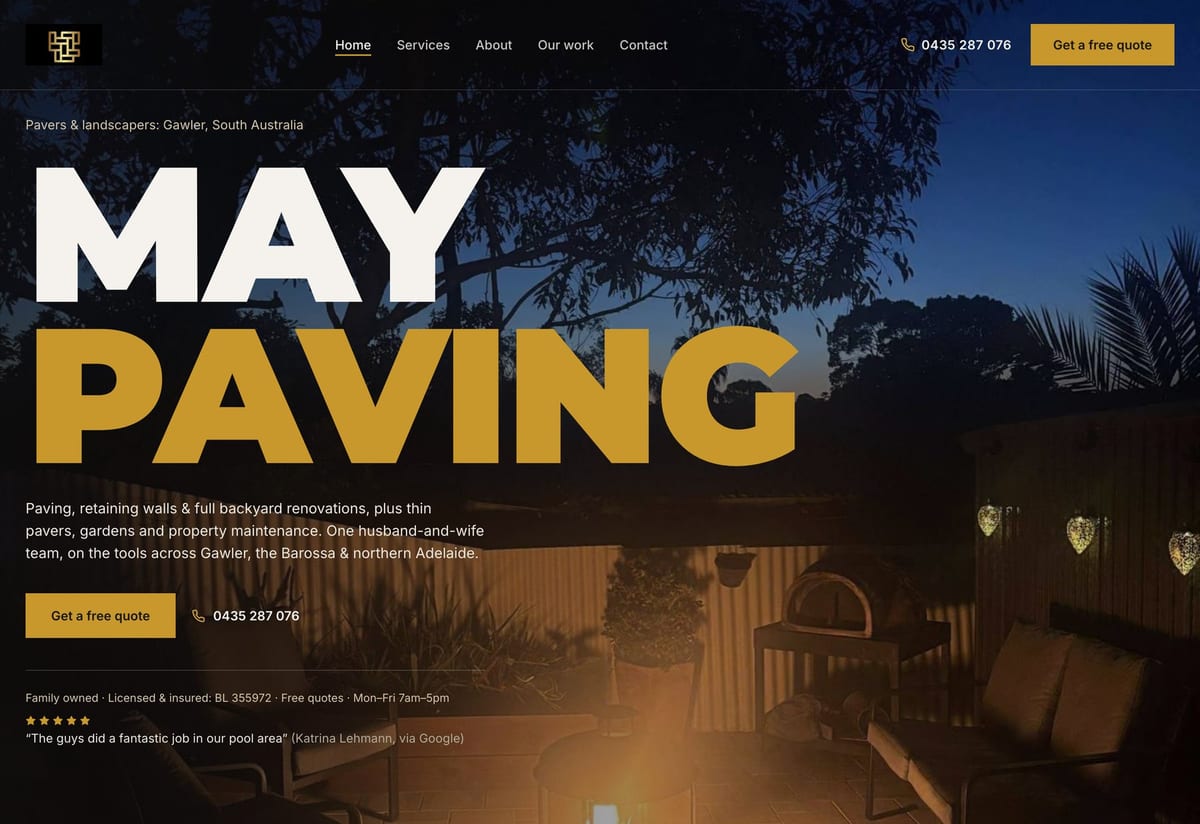
May Paving was top 3 on Google Maps for “paving” at all 9 points of a 3 km grid around Gawler (5 October 2026, re-checked 13 October 2026), and #1 for “paving” searched from Gawler on 20 and 29 October 2026. Paving is the core of the business, and landscaping is real work it does as well. That split between a core service and genuine secondary work is what primary and additional categories are meant to describe.
Checked on the dates shown, from the town shown, on a mobile, logged out. Google results vary by location and day.
Changing your category safely
If your primary category is wrong, fix it, but do it in a way you can measure. Search your main service from the same town first and note where you appear. Make the category change on its own, not alongside a new business name, new hours and a new website on the same day. Write down the date, update the matching page on your website, then re-check from the same place after a few weeks. If Google asks you to verify the business again, do it promptly.
Want a second opinion? Our Google Business Profile optimisation covers categories, services and the website pages behind them. Or ask for a free SEO audit: a person checks your profile and site, and you get honest advice and a clear recommendation within 1–2 business days.
Frequently asked questions
How many categories should a Google Business Profile have?
One primary category, plus only as many additional categories as describe real, regular parts of the business. Google limits how many you can add, and its guidelines ask you to use as few as possible to describe your core business. For most small local businesses, a handful is plenty.
Can I change my primary category without hurting my rankings?
You can change it any time in the profile editor, and moving to a category that fits better is usually worth doing. Results can move while Google re-reads the profile, and big edits can prompt Google to review it again. Change one thing at a time, note the date, and re-check from the same town after a few weeks. Nobody can promise how a category change will affect rankings.
What if there is no category for exactly what I do?
Choose the closest category that is still true, usually one step broader than your exact trade. Then describe the specifics in your Services list, your business description and the pages on your website, so Google can still match you to the detailed searches.
Should I copy my competitors’ categories?
Use them as research, not a template. If the businesses at the top of the map box all use a more specific category that is also true for you, switch to it. If a category describes them but not you, leave it alone, or you will show up for jobs you can’t take.
Do service-area businesses need to choose categories?
Yes, exactly the same as a shopfront. Your category describes what kind of business you are. Whether customers visit you, or you travel to them, is a separate setting on the profile.
Evidence used in this article
- Google Business Profile Help, business categories (support.google.com/business/answer/7249669): adding, changing and removing primary and additional categories.
- Google Business Profile Help, “Guidelines for representing your business on Google” (answer 3038177): use as few categories as possible to describe the core business, as specific as possible while staying representative, and not as keywords.
- Google Business Profile Help, “Improve your local ranking on Google” (answer 7091): local results are ranked on relevance, distance and prominence; complete, accurate business information helps Google match a profile to searches.
- Iron Works Mobile Welding: Local Finder check from Mount Pleasant, 20 October 2026 (mobile): #1 for “mobile welder”, with no Google reviews yet.
- May Paving: live Google Maps checks around Gawler (mobile, logged out): top 3 for “paving” at all 9 points of a 3 km grid (5 October 2026, re-checked 13 October 2026), and #1 for “paving” searched from Gawler (20 and 29 October 2026).
Free SEO audit
Want this checked on your own site?
Tell us your website and the searches that matter. You’ll get honest advice and a clear recommendation within 1–2 business days, with a PDF summary of fixes in priority order.
Get my free audit →