
Key takeaways
- Google says that once you ask, crawling can take anywhere from a few days to a few weeks, and it doesn’t promise to index every page it crawls.
- The three things that help: the page in your sitemap, links to it from pages Google already visits, and one Request Indexing in Search Console.
- Requesting the same page again and again doesn’t make it faster. Google says there’s a quota and repeat requests don’t help.
- In our experience, “Crawled, currently not indexed” is usually about the page itself (thin or duplicated), not a settings fault. Fix the page, then ask once.
On this page
- How long does Google take to index a page?
- Crawled, indexed and ranking are three different steps
- Step 1: make sure the page is in your sitemap
- Step 2: link to it from pages Google already visits
- Step 3: use URL Inspection and Request Indexing
- Why pages sit at “Discovered” or “Crawled, currently not indexed”
- What it looked like on one brand-new site
- A checklist before you start waiting
- Frequently asked questions
Short answer: how long does Google take to index a new page? Google’s own guidance says that once you ask, crawling can take anywhere from a few days to a few weeks, and indexing, if it happens, comes after the crawl. You can help it along with a sitemap, links from pages Google already visits and one Request Indexing in Search Console. Nobody can force it, and Google doesn’t promise to index every page.
How long does Google take to index a page?
Google’s page on asking Google to recrawl your URLs says crawling can take anywhere from a few days to a few weeks. It also says that asking for a crawl doesn’t mean the page will appear in results straight away, or at all. That is the honest range. Anyone promising “indexed in 24 hours” is guessing.
Where a page lands in that range mostly comes down to three things:
- How Google finds it. A page linked from your homepage gets found sooner than one listed only in a sitemap, and much sooner than one nothing links to.
- How established the site is. In our experience, a new page on a site Google already visits often is picked up faster than the first pages of a brand-new domain.
- Whether the page looks worth indexing. Google doesn’t keep everything it crawls. A thin page, or one that repeats another page, can be crawled and left out.
Google indexing time is also not the same as ranking time. Getting into the index is the entry ticket. Showing up for searches people actually make takes longer, which our guide to how long SEO takes covers.
Crawled, indexed and ranking are three different steps
Google describes search in three stages (How Google Search works):
- Crawling. Googlebot finds the page, mostly by following links from pages it already knows and from sitemaps, and downloads it.
- Indexing. Google works out what the page is about and decides whether to store it.
- Serving. When someone searches, Google picks pages from the index to show.
The same guide says Google doesn’t guarantee it will crawl, index or serve a page, even one that follows its guidelines. So when a page is “not on Google”, the first job is finding out which step it’s stuck at. The URL Inspection tool, below, tells you. If the page is indexed but you still can’t see it, that’s a ranking question, and our post on why Search Console says #1 when you can’t find yourself explains the gap.
Step 1: make sure the page is in your sitemap
A sitemap is a file listing the pages you want Google to know about. Google’s sitemaps overview says it helps Google crawl a site more efficiently, and that it can help most on large sites and new sites with few links pointing to them. It also says a sitemap doesn’t guarantee every page in it will be crawled or indexed.
For most small-business sites the job is short:
- Check your platform builds a sitemap automatically (Shopify, Wix and Squarespace do, and so do most WordPress SEO plugins) and that the new page is in it.
- Submit the sitemap once in Search Console under Sitemaps. You don’t need to resubmit it for every new page.
- Keep it clean: only pages you want found, no redirected or deleted addresses.
Step 2: link to it from pages Google already visits
This step does more than most people expect. Google finds most pages by following links, so a new page linked from your homepage, main menu or a busy service page sits right in Googlebot’s path. A page nothing links to (an “orphan” page) relies on the sitemap alone, and tends to wait.
When you publish a page:
- Add it to the menu or footer if it’s a main service or area page.
- Link to it from one or two related pages that already get visits, using words that describe it (“gas fitting in Salisbury”, not “click here”).
- For a blog post, link to it from an older post on a related topic, and link back the other way.
Free SEO audit
Pages not showing up on Google?
A person checks your website, your Google Business Profile and the searches you should be winning, then sends a PDF summary with the fixes in priority order within 1–2 business days.
Step 3: use URL Inspection and Request Indexing
Search Console’s URL Inspection tool shows what Google knows about one address: whether it’s indexed, when it was last crawled and whether anything is blocking it. Google’s URL Inspection tool help page explains how to inspect an address, test the live page and request indexing.
- Open Search Console and paste the full page address into the search bar at the top.
- If it says the URL is not on Google, click Test live URL to confirm Google can load the page.
- If the live test passes, click Request indexing.
Then leave it. Google says there’s a quota for submitting individual URLs, and that requesting a crawl of the same URL again and again won’t get it crawled any faster (Google Search Central). If you’ve added or changed lots of pages at once, the sitemap is the right tool, not dozens of single requests.
Request Indexing is a nudge, not a switch. It puts the page in Google’s queue. It doesn’t skip Google’s decision about whether the page is worth keeping.
Why pages sit at “Discovered” or “Crawled, currently not indexed”
In Search Console’s Pages report, two statuses cause most of the worry we see.
Discovered - currently not indexed means Google knows the address exists but hasn’t crawled it yet. On a small site this is often just timing. If a page sits there for weeks, look for a slow or error-prone server, lots of low-value addresses competing for Google’s attention (filter and tag pages, for example), or weak internal links to the page.
Crawled - currently not indexed means Google fetched the page and chose not to add it, for now. In our experience this is usually about the page itself rather than a technical fault. Common causes:
- the page is thin, or says much the same as another page on the site;
- a run of near-identical suburb pages with only the town name swapped (our suburb pages guide covers when they work);
- the page is new and Google hasn’t settled on it yet.
The fix is to make the page clearly worth indexing: add the specific detail only you can give, link to it properly, and merge pages that repeat each other. Then request indexing once. Clicking the button again on an unchanged page rarely changes the answer.
Some pages are left out on purpose and should be, such as thank-you pages, cart pages and internal search results. Not every “not indexed” line is a problem.
What it looked like on one brand-new site
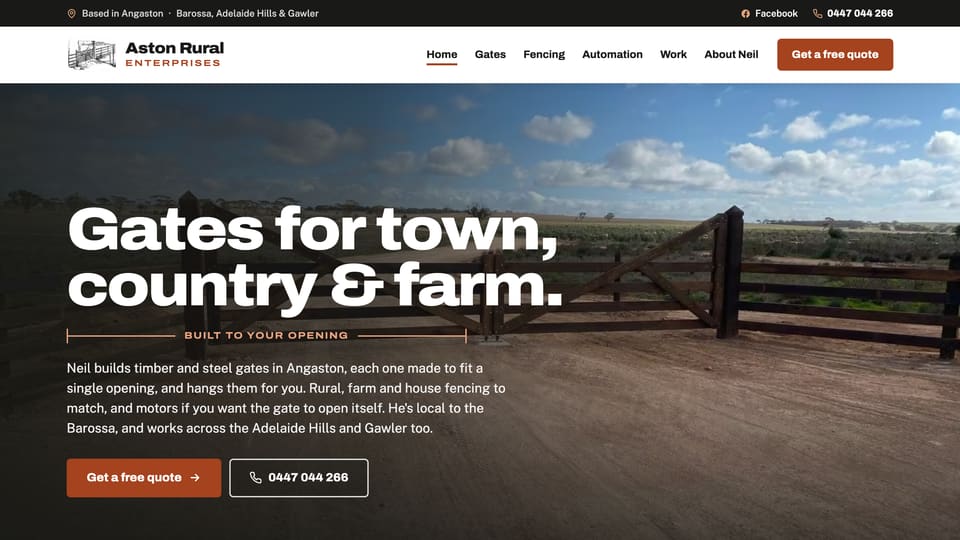
Aston Rural Enterprises, a Barossa rural business, launched its new website on 28 September 2026. In its first nine days in Search Console (27 September to 5 October 2026) it was shown 81 times and earned 8 clicks, so Google had crawled and indexed the site within its first week. In its first four weeks online it was shown 525 times, with 16 clicks (28 September to 24 October 2026, all searches). The Aston Rural case study has the detail.
One site on one search isn’t a timeline you can count on. A new page on an established, well-linked site often goes faster. A page that’s hard to find, or repeats other content, can take much longer.
A checklist before you start waiting
First, rule out the problems that stop a page being indexed at all:
- The page loads for a logged-out visitor and isn’t an error or a redirect.
- It has no
noindextag (some site builders add one to draft or hidden pages). - Your robots.txt file doesn’t block it.
- Its canonical tag points to itself, not to another page.
- It’s in the sitemap, and at least one page Google already visits links to it.
- The URL Inspection live test passes, and you’ve requested indexing once.
If all six check out and the page still isn’t indexed after a few weeks, look at the page itself rather than the settings. If your whole business is missing from Google, not just one page, start with our eight checks for a business not showing on Google.
Indexing problems are part of our technical SEO work: sitemaps, internal links, crawl errors and pages Google has skipped. If you’d like a second opinion first, our free SEO audit gives you honest advice and a clear recommendation within 1–2 business days.
Frequently asked questions
Can I pay Google to index my page faster?
No. Google says it doesn’t accept payment to crawl a site more often or to rank it higher (How Google Search works). Google Ads can show a paid ad for a search, but they don’t get your page into the normal results any sooner. A sitemap, good internal links and one Request Indexing are what help.
Should I click Request Indexing more than once?
No. Google says repeat requests for the same URL won’t get it crawled faster, and there’s a quota on individual submissions. Request each page once, then give it a few weeks. Only request it again after you’ve made a real change to the page.
How do I check whether a page is indexed?
Paste the full address into the URL Inspection bar in Google Search Console. It tells you whether the page is on Google, when it was last crawled and whether anything is blocking it. A site: search on Google is a rough guide only. If the page is indexed but you still can’t find it, that’s a ranking question rather than an indexing one.
Does a brand-new website take longer to index than a new page?
Usually, yes. A new domain has few or no links pointing to it, so Google has fewer ways to find it. Set up Search Console and submit the sitemap on launch day, link your Google Business Profile and real directory listings to the site, and make sure every page is linked from the menu or another page.
What happens to indexing when I move to a new website?
Google has to find the new addresses and work out that they replace the old ones. Every old address that changes needs a 301 redirect to its new page. When our parent business, JB Digital Barossa, moved My Positive Perspectives from Wix to Shopify, 15 old Wix addresses were 301-redirected to their new pages. Our website migration SEO checklist has the full list.
Evidence used in this article
- Google Search Central, “Ask Google to recrawl your URLs”: crawling can take anywhere from a few days to a few weeks; requesting a crawl doesn’t guarantee inclusion straight away or at all; there is a quota for individual URL submissions, and repeat requests for the same URL don’t speed it up.
- Search Console Help, URL Inspection tool (support.google.com/webmasters/answer/9012289): inspecting a URL, testing the live page and requesting indexing.
- Google Search Central, sitemaps overview: a sitemap helps Google crawl a site more efficiently but doesn’t guarantee every page in it will be crawled or indexed.
- Google Search Central, how Google Search works: the crawling, indexing and serving stages; Google doesn’t guarantee it will crawl, index or serve a page, and doesn’t accept payment to crawl a site more often or rank it higher.
- Aston Rural Enterprises: site launched 28 September 2026; Search Console for its first nine days (27 September to 5 October 2026: 81 impressions, 8 clicks) and its first four weeks (28 September to 24 October 2026: 525 impressions, 16 clicks, all searches).
Free SEO audit
Want this checked on your own site?
Tell us your website and the searches that matter. You’ll get honest advice and a clear recommendation within 1–2 business days, with a PDF summary of fixes in priority order.
Get my free audit →